Question 191 · 289 in bank
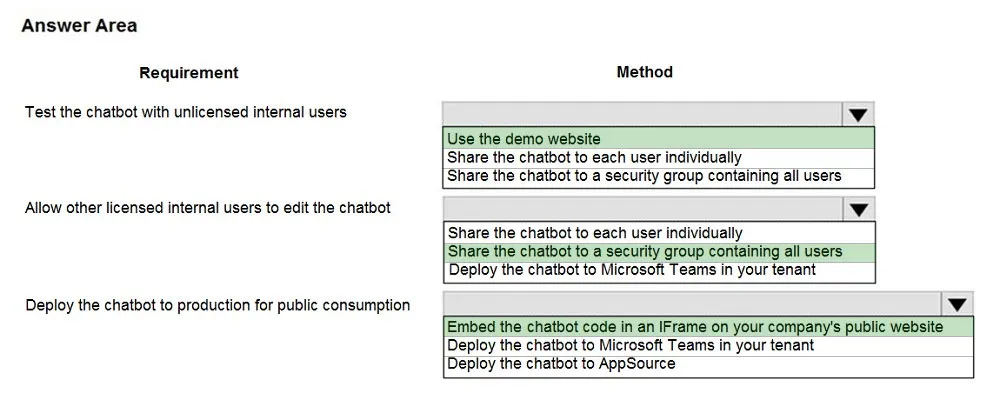
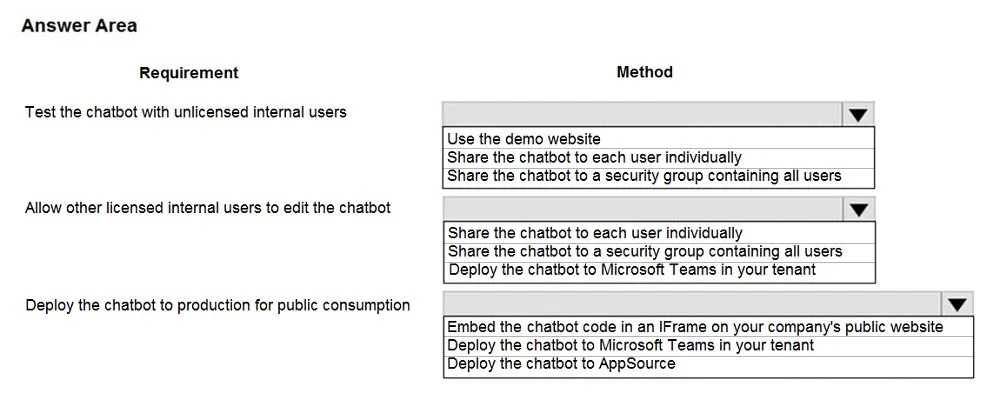
HOTSPOT - You create a new Power Virtual Agents chatbot for an organization. Testing and production deployment of the chatbot are not complete. You need to ensure that appropriate users can access the chatbot. Which methods should you use? To answer, select the appropriate options in the answer area. NOTE: Each correct selection is worth one point. Hot Area:
This is an interactive task on the real exam — a drag-and-drop, hotspot or ordering question. There is nothing to select here, so the answer is shown below for reference.
Show the answer figure
Answer: See figure below
Explanation
Box 1: Use the demo website - When publishing the bot to the web, you can publish to a prebuilt demo website (which you can use to share the bot with your teammates and stakeholders) and to your own live website. Box 2: Share the chatbot to a security group containing all users. A license for each user, also known as a "per user license" (or "Power Virtual Agent User License" as referred to on the Microsoft 365 admin center), should be assigned to individual users who need access to create and manage chatbots. To simplify user license management, you can assign licenses to an Azure Active Directory (Azure AD) security group. Box 3: Embed the chatbot code in an IFRame on your copany's public website You can add your bot to a live website as an IFrame. Your live website can be a customer-facing external website or an internal site, like a SharePoint or Yammer site. Reference: https://docs.microsoft.com/en-us/power-virtual-agents/publication-connect-bot-to-web-channels https://docs.microsoft.com/en-us/power-virtual-agents/requirements-licensing
Source: Adapted from community discussion — vishjust