Question 1 · 624 in bank
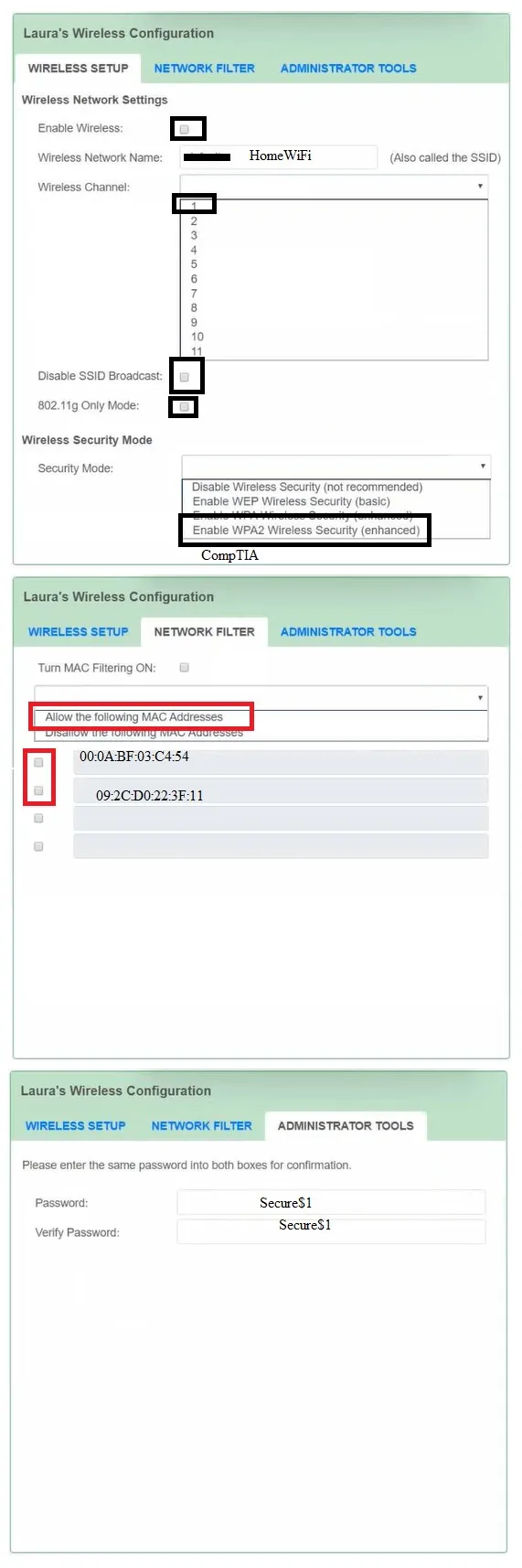
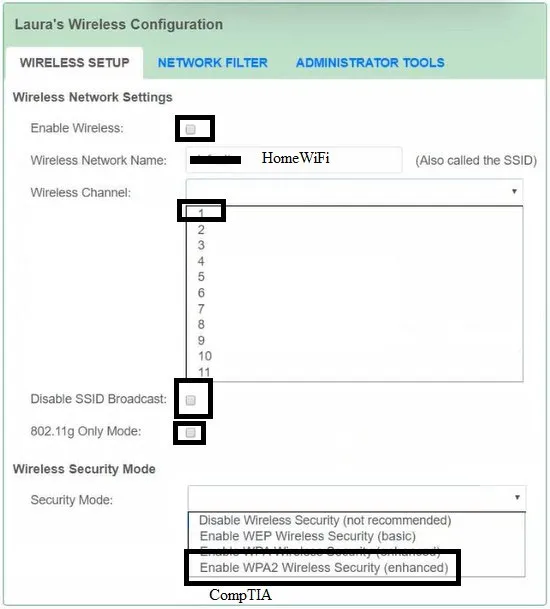
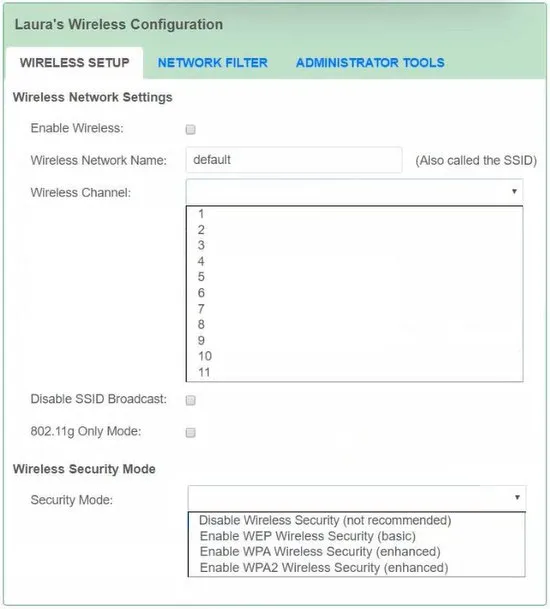
SIMULATION - Laura, a customer, has instructed you to configure her home office wireless access point. She plans to use the wireless network for finances and has requested that the network be setup with the highest encryption possible. Additionally, Laura knows that her neighbors have wireless networks and wants to ensure that her network is not being interfered with by the other networks. She requests that the default settings be changed to the following. Wireless Name: HomeWiFi - Shared Key: CompTIA - Router Password: Secure$1 - Finally, Laura wants to ensure that only her laptop and SmartPhone can connect to the network. Laptop: IP Address 192.168.1.100 Hardware Address: 00:0A:BF:03:C4:54 SmartPhone: IP Address 192.168.1.101 Hardware Address: 09:2C:D0:22:3F:11 INSTRUCTIONS - Configure Laura's wireless network using the network adapter window. If at any time you would like to bring back the initial state of the simulation, please click the Reset All button.



This is an interactive task on the real exam — a drag-and-drop, hotspot or ordering question. There is nothing to select here, so the answer is shown below for reference.
Show the answer figure
Answer: See figure below
Explanation
I'm pretty sure MAC filtering box is supposed to be checked. Also I believe Disable SSID is supposed to be checked because Laura only wants two devices to be able to connect to it through MAC filtering, so there is no need to broadcast her network.
Source: Adapted from community discussion — TKW36