Question 381 · 388 in bank
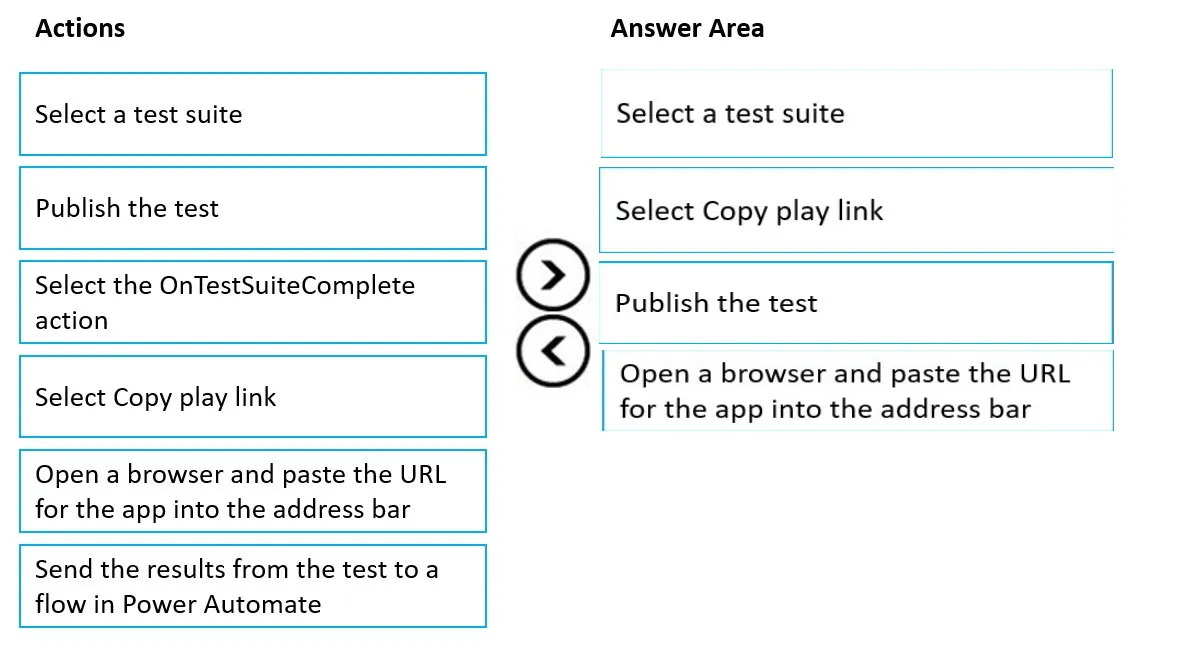
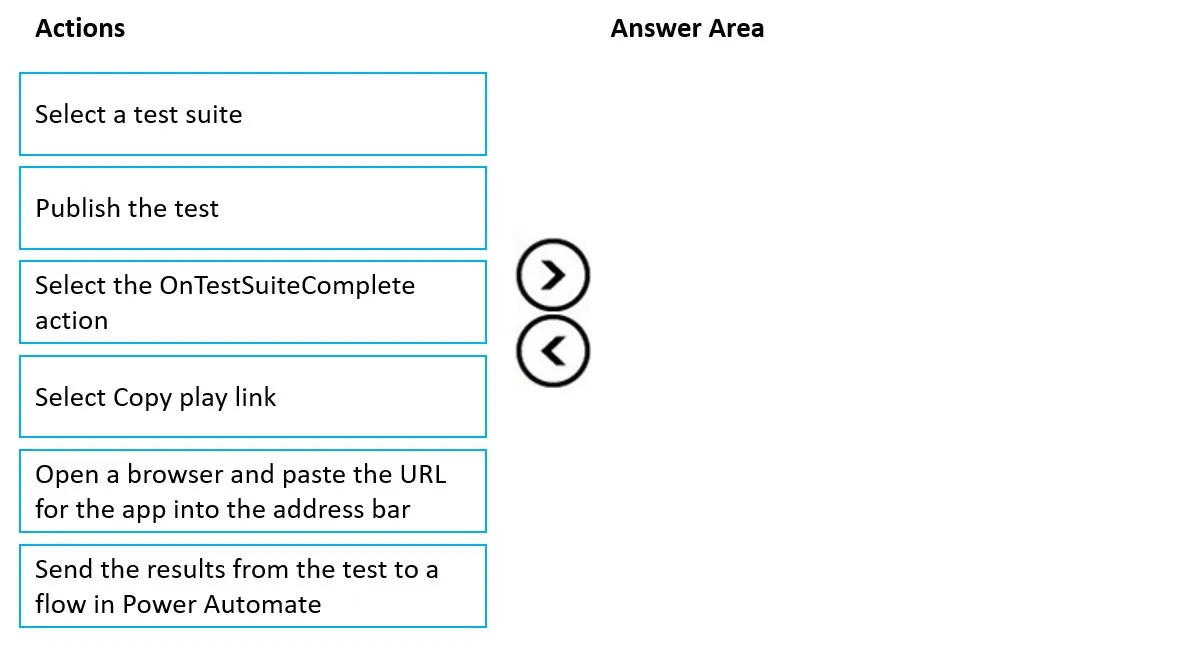
DRAG DROP - You create a new canvas app. You update a test case and must test the app in a separate browser. You need to test the app by using Test Studio. Which four actions should you perform in sequence? To answer, move the appropriate actions from the list of actions to the answer area and arrange them in the correct order. Select and Place:
This is an interactive task on the real exam — a drag-and-drop, hotspot or ordering question. There is nothing to select here, so the answer is shown below for reference.
Show the answer figure
Answer: See figure below
Explanation
Step 1: Select a test suite - Step 2: Select Copy play link - Playing tests in a browser - You can copy a link to play a test in separate browser outside Test Studio. It helps integrate your tests in a continuous build and release pipeline such as Azure DevOps. The play link for the selected test is persisted. It doesn't change for the test suite or test case. You can update your tests without the need to modify build and release processes. To play tests in your browser: 1. Select a test suite or test case in the right pane. 2. Select Copy play link. 3. You're prompted to publish your tests if there are any unpublished changes. 4. You can select to skip the publish process and copy the play link. New test changes don't play if you skip. 5. Open a browser and paste the URL into the address bar to play the test. 6. View your test playing back. Step 3: Publish the test - Step 4: Open a browser and paste the URL for the app inte the address bar Reference: https://docs.microsoft.com/en-us/power-apps/maker/canvas-apps/working-with-test-studio
Source: Adapted from community discussion — HiJaak
References