Question 201 · 358 in bank
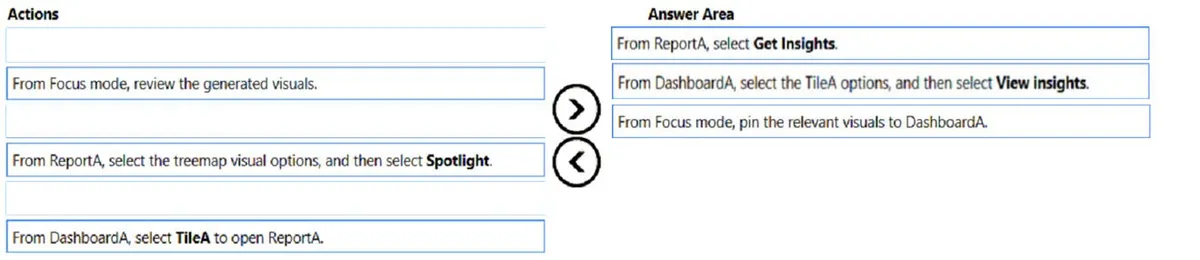
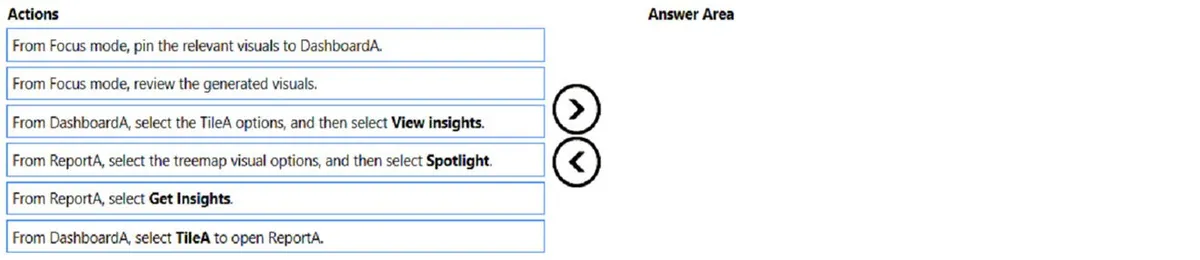
DRAG DROP - You have a Power BI dashboard named DashboardA that contains a tile named TileA. TileA contains a treemap visual from a report named ReportA. You need to provide the users of DashboardA with additional tiles that relate to the contents of TileA. Which three actions should you perform in sequence? To answer, move the appropriate actions from the list of actions to the answer area and arrange them in the correct order. Select and Place:
This is an interactive task on the real exam — a drag-and-drop, hotspot or ordering question. There is nothing to select here, so the answer is shown below for reference.
Show the answer figure
Answer: See figure below
Explanation
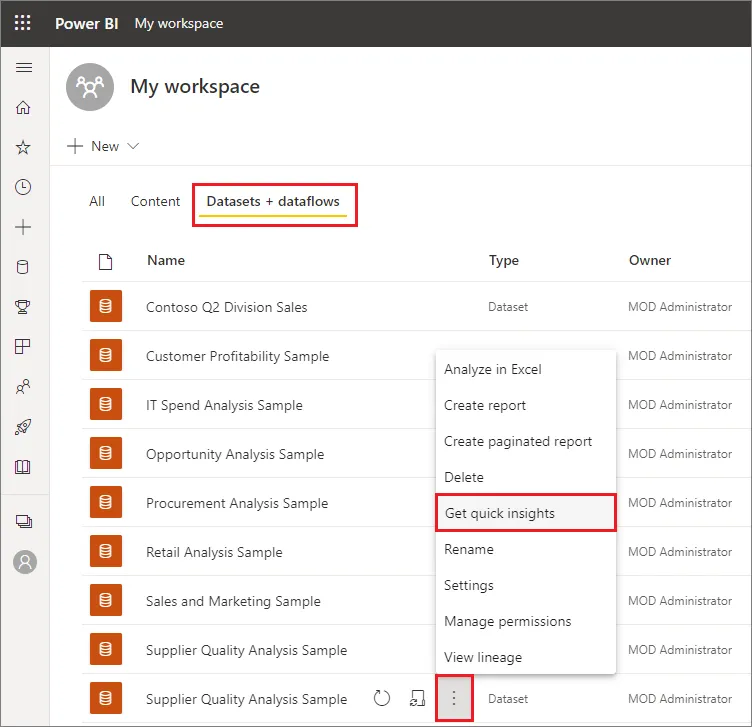
Step 1: From ReportA, select Get Insights Then select 'Get Insights'ג€¦ From the Datasets + dataflows tab, select More options (...) next to the dataset, and then choose Get insights. Power BI Quick Insights will now scan the data related to the tile and display a list of potential insights you may want to explore further. To drill into a specific data point, you can even select data in the visual and Quick Insights will focus on that data point when searching for insights. Power BI uses various algorithms to search for trends in your dataset. Within seconds, your insights are ready. Select View insights to display visualizations. The visualizations display in a special Quick Insights canvas with up to 32 separate insight cards. Each card has a chart or graph plus a short description. Step 2: From DashboardA, select the TileA options, and then select View Insights The insight screen opens in Focus mode. Step 3: From Focus mode, pin the relevant visuals to DashboardA Go to 'in focus mode' on a dashboard tile for data loaded into Power BI. Reference: https://docs.microsoft.com/en-us/power-bi/create-reports/service-insights
Source: Adapted from community discussion — PinkZebra
References