Question 231 · 358 in bank
You have a table that contains sales data and approximately 1,000 rows. You need to identify outliers in the table. Which type of visualization should you use?
Show answer
Answer: B
Microsoft Power BI Data Analyst358 questions across 36 pages are complete and free, with no account or card.
358 questions in this bank
Free access · progress saved on this device
You have a table that contains sales data and approximately 1,000 rows. You need to identify outliers in the table. Which type of visualization should you use?
Answer: B
You need to create a visualization that compares revenue and cost over time. Which type of visualization should you use?
Answer: C
Once they are stacked, it will be hard to compare via visuals. With line chart, you can see the lines crossing each other and moving up and down giving you a relative view.
Source: Adapted from community discussion — MasterZucchini
You have a report that contains three pages. One of the pages contains a KPI visualization. You need to filter all the visualizations in the report except for the KPI visualization. Which two actions should you perform? Each correct answer presents part of the solution. NOTE: Each correct selection is worth one point.
Answer: BC
B and C are the right ones. First we add slicers to sync all of them between pages and later we change the interactions between the KPI visual and the slicer of the same page report.
Source: Adapted from community discussion — Fer079
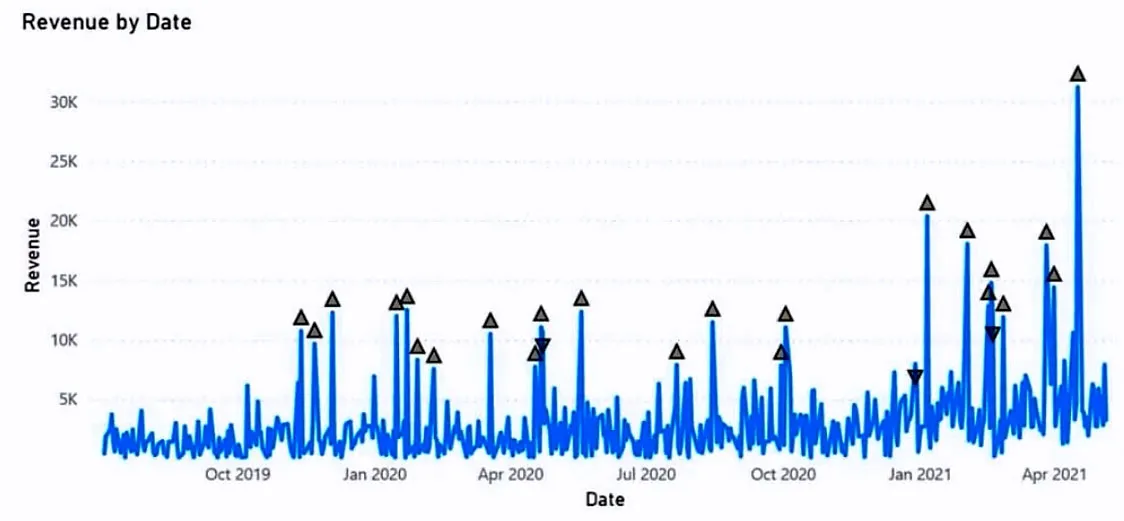
HOTSPOT - You have a Power BI visual that uses indicators to show values that are out of range as shown in the following exhibit.
Use the drop-down menus to select the answer choice that completes each statement based on the information presented in the graphic. NOTE: Each correct selection is worth one point. Hot Area:
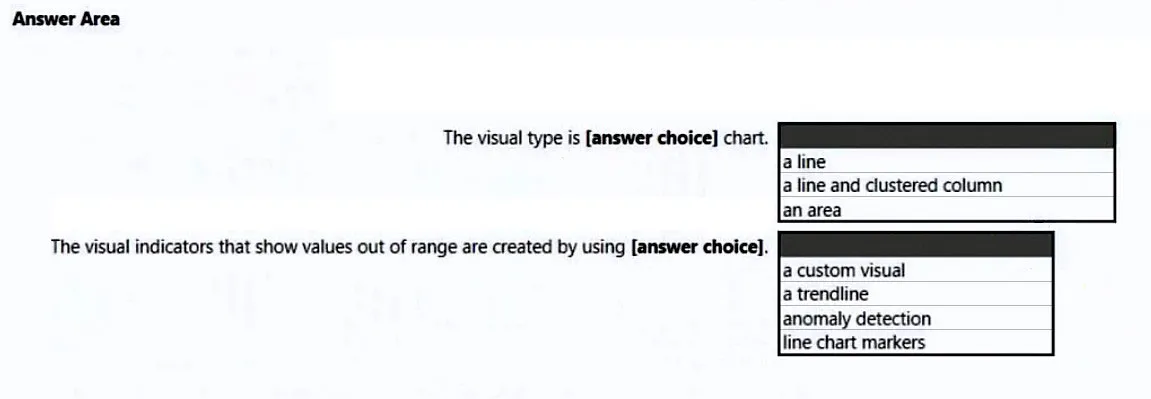
This is an interactive task on the real exam — a drag-and-drop, hotspot or ordering question. There is nothing to select here, so the answer is shown below for reference.
Answer: See figure below
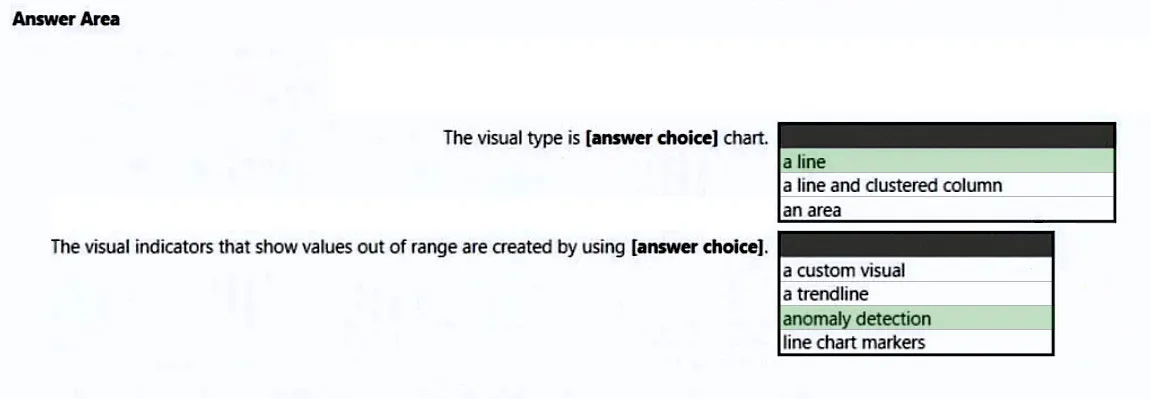
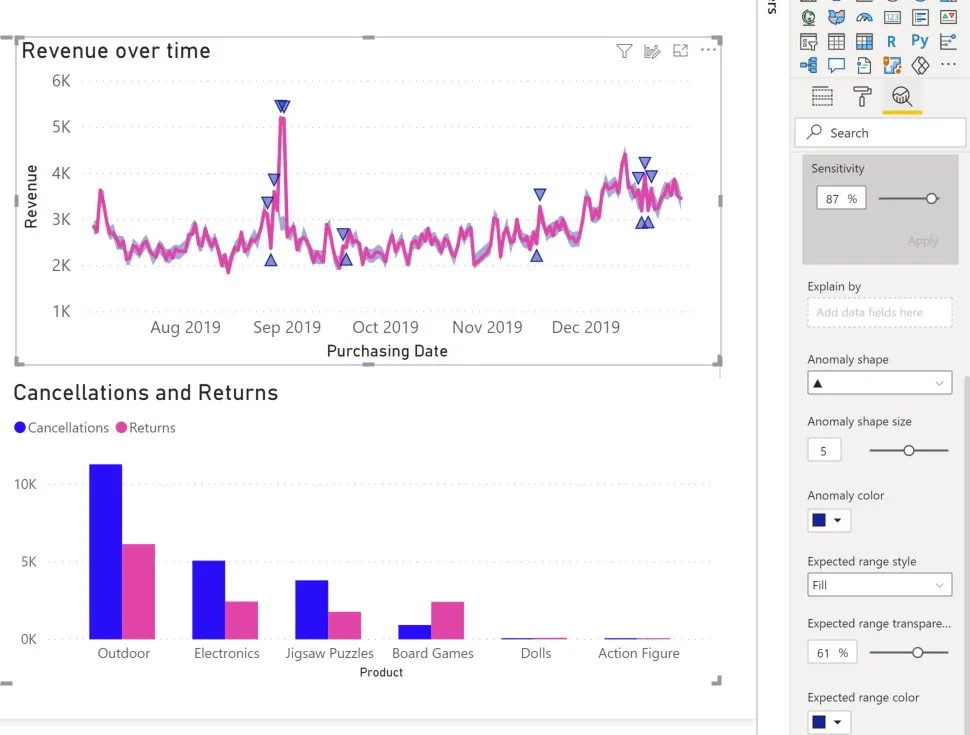
Box 1: a line - Incorrect: * not line and clustered column The Line and Clustered Column Chart is a combo charts that combines the Line chart and Column chart together in one visual. By combining these two visuals together, you can make a very quick comparison between two sets of measures. Box 2: anomaly detection - Anomaly detection helps you enhance your line charts by automatically detecting anomalies in your time series data. It also provides explanations for the anomalies to help with root cause analysis. With just a couple of clicks, you can easily find insights without slicing and dicing the data. Example: Reference: https://docs.microsoft.com/en-us/power-bi/visuals/power-bi-visualization-anomaly-detection

You are creating a Power BI report to analyze consumer purchasing patterns from a table named Transactions. The Transactions table contains a numeric field named Spend. You need to include a visual that identifies which fields have the greatest impact on Spend. Which type of visual should you use?
Answer: D
HOTSPOT - You are creating a line chart in a Power BI report as shown in the following exhibit.
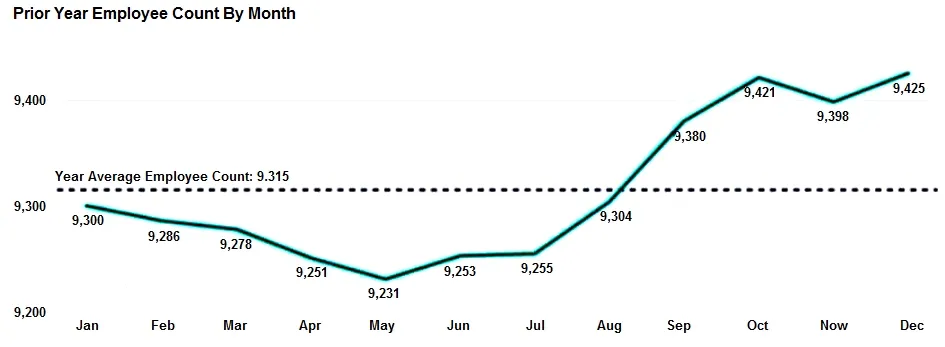
Use the drop-down menus to select the answer choice that completes each statement based on the information presented in the graphic. NOTE: Each correct selection is worth one point. Hot Area:
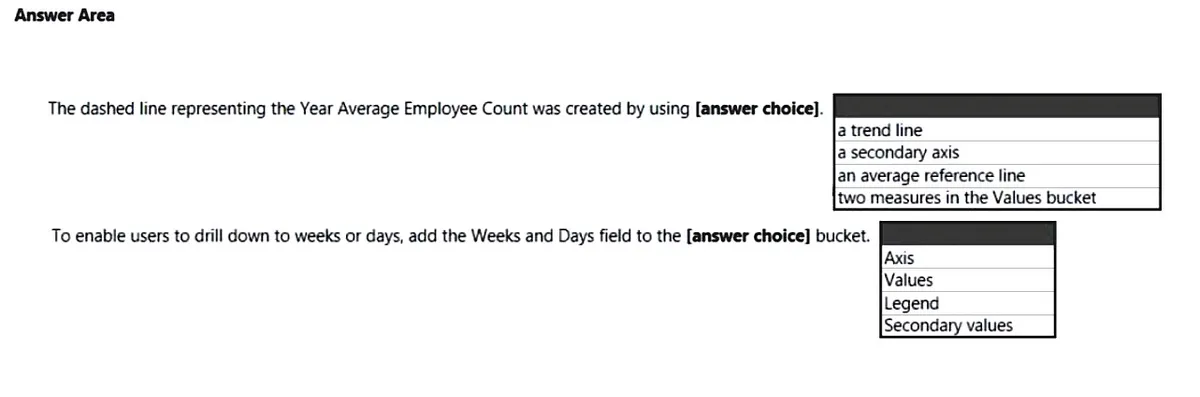
This is an interactive task on the real exam — a drag-and-drop, hotspot or ordering question. There is nothing to select here, so the answer is shown below for reference.
Answer: See figure below
Box 1: an average reference line With the Analytics pane in Power BI Desktop, you can add dynamic reference lines to visuals, and provide focus for important trends or insights. Box 2: Values - Add a measure to drillthrough - You can add a measure or a summarized numeric column to the drillthrough area. Drag the drillthrough field to the Drillthrough card on the drillthrough target page to apply it. When you add a measure or summarized numeric column, you can drill through to the page when the field is used in the Value area of a visual. Reference: https://docs.microsoft.com/en-us/power-bi/transform-model/desktop-analytics-pane
Source: Adapted from community discussion — AzureJobsTillRetire
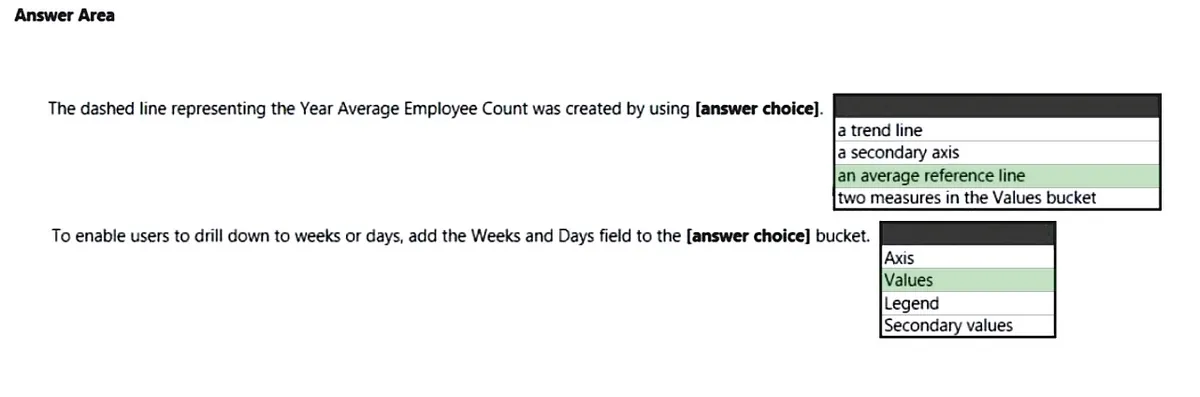

You have a dashboard that contains tiles pinned from a single report as shown in the Original Dashboard exhibit. (Click the Original Dashboard tab.)
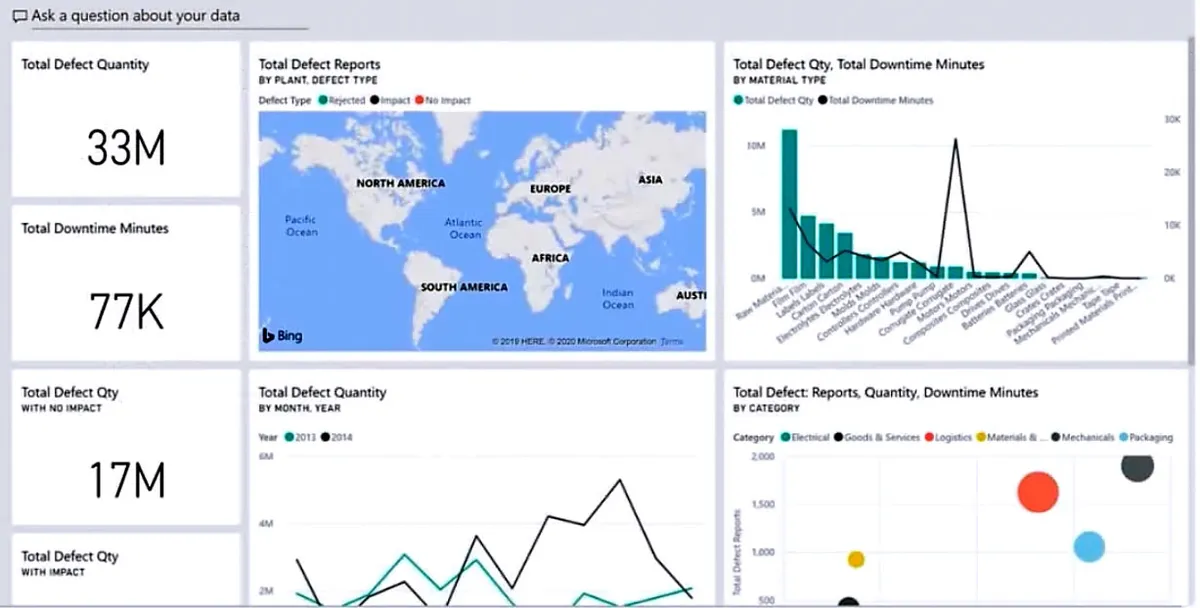
You need to modify the dashboard to appear as shown in the Modified Dashboard exhibit. (Click the Modified Dashboard tab.)
What should you do?
Answer: B
We are updating the Dashboard not the report, therefore is option B not option A. Even editing details of each tile, this would still not change the background of the dashboard but just background of tiles (and font color).
Source: Adapted from community discussion — jaume
You have a Power BI report. The report contains a visual that shows gross sales by date. The visual has anomaly detection enabled. No anomalies are detected. You need to increase the likelihood that anomaly detection will identify anomalies in the report. What should you do?
Answer: C
C. Increase the sensitivity If you increase the sensitivity, the algorithm is more sensitive to changes in your data. In that case, even a slight deviation is marked as an anomaly. If you decrease the sensitivity, the algorithm is more selective on what it considers an anomaly. reference: https://docs.microsoft.com/en-us/power-bi/visuals/power-bi-visualization-anomaly-detection
Source: Adapted from community discussion — simplex06
You maintain a Power BI workspace that contains a supplier quality dashboard. The dashboard contains 10 card visuals, two map visuals and five bar chart visuals. The dashboard mobile layout is shown in the exhibit. (Click the Exhibit tab.)

You need to modify the dashboard mobile layout to meet the following requirements: ✑ Only show single-value visuals. ✑ Minimize scrolling. What should you do?
Answer: A
Decreasing the size of card visuals will minimize the scrolling. Removing maps and chart visuals is a requirement as they are non single-vlaue visuals
Source: Adapted from community discussion — jaume
You have a Power BI report. You have a table named Data1 that contains 10 million rows. Data1 is used in the following visuals: ✑ A card that shows the number of records ✑ A bar chart that shows total transaction amount by territory ✑ A scatter plot that shows transaction amount and profit amount on the axes and points colored by territory You need to modify the scatter plot to make it easier for users to identify meaningful patterns. The solution must not affect the accuracy of the other visuals. What should you do?
Answer: C
This question requires "modification" of the scatter plot and what high-density sampling essentially does is to employ methods that capture and represent the underlying data more effectively and eliminates overlapping points. Remember that the table named Data1 contains 10 million rows. How do you represent all that data in a scatter plot in a meaningful pattern for easy understanding and analysis? by use of high density sampling. "By definition, high-density data is sampled to create visualizations reasonably quickly that are responsive to interactivity. Too many data points on a visual can bog it down, and can detract from the visibility of trends". This link explains it more: https://learn.microsoft.com/en-us/power-bi/create-reports/desktop-high-density-scatter-charts#how-high-density-scatter-charts-work
Source: Adapted from community discussion — shakes103
Keyboard:J Kmove between questionsA–Dselect an answerRshow or hide the answer← →change page
PL-300 practice, question 231. 358 questions available.
Version 1.0.0. How we source questions