Question 51 · 339 in bank
HOTSPOT - You have an Azure subscription that contains a single virtual network and a virtual network gateway. You need to ensure that administrators can use Point-to-Site (P2S) VPN connections to access resources in the virtual network. The connections must be authenticated by Azure Active Directory (Azure AD). What should you configure? To answer, select the appropriate options in the answer area. NOTE: Each correct selection is worth one point. Hot Area:

This is an interactive task on the real exam — a drag-and-drop, hotspot or ordering question. There is nothing to select here, so the answer is shown below for reference.
Show the answer figure
Answer: See figure below
Explanation
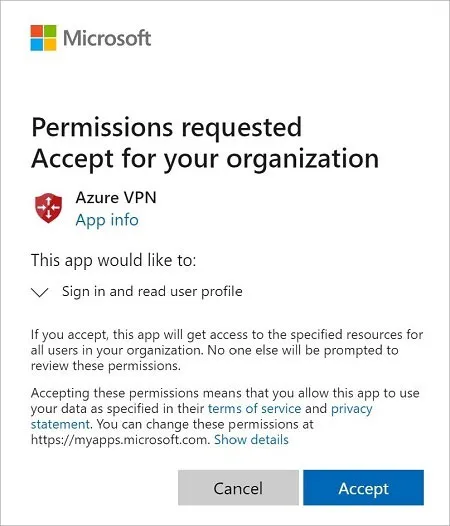
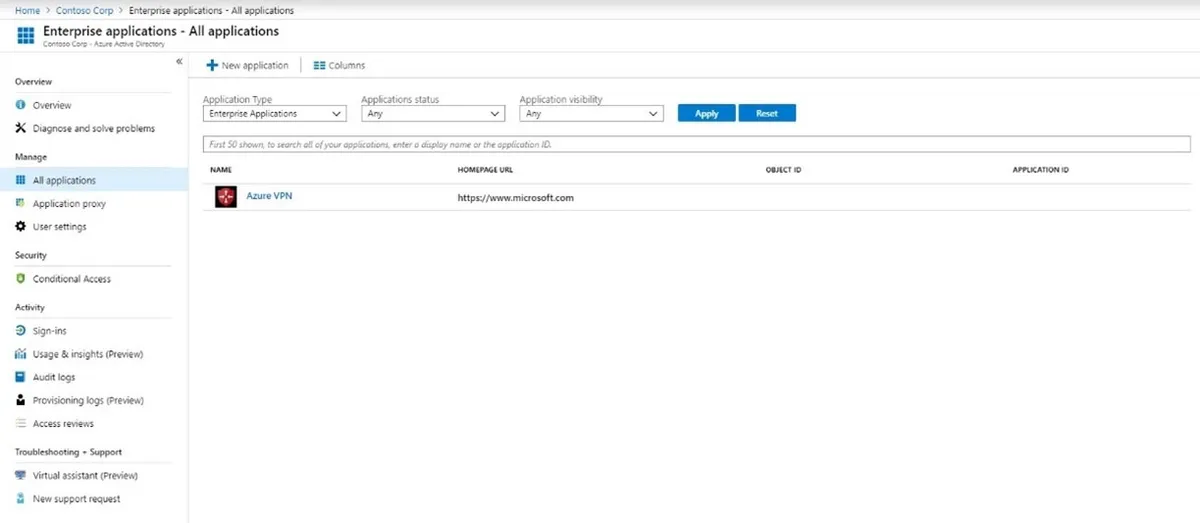
Box 1: An enterprise application Enable Azure AD authentication on the VPN gateway: 1. Locate the Directory ID of the directory that you want to use for authentication. It's listed in the properties section of the Active Directory page. 2. Under your Azure AD, in Enterprise applications, you see Azure VPN listed. Copy the Directory ID. 3. Sign in to the Azure portal as a user that is assigned the Global administrator role. 4. Next, give admin consent. Copy and paste the URL that pertains to your deployment location in the address bar of your browser. 5. Select the Global Admin account if prompted. 6. Select Accept when prompted. 7. Under your Azure AD, in Enterprise applications, you see Azure VPN listed. Box 2: Open VPN (SSL) When you connect to your VNet using Point-to-Site, you have a choice of which protocol to use. The protocol you use determines the authentication options that are available to you. If you want to use Azure Active Directory authentication, you can do so when using the OpenVPN protocol. Reference: https://docs.microsoft.com/en-us/azure/vpn-gateway/openvpn-azure-ad-tenant
References