Question 111 · 264 in bank
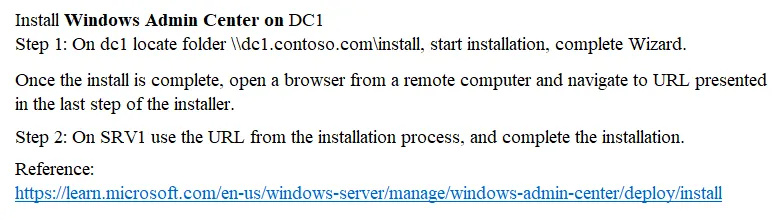
SIMULATION - You need to ensure that you can manage DC1 by using Windows Admin Center on SRV1. The required source files are located in a folder named \\dc1.contoso.com\install. To complete this task, sign in the required computer or computers.
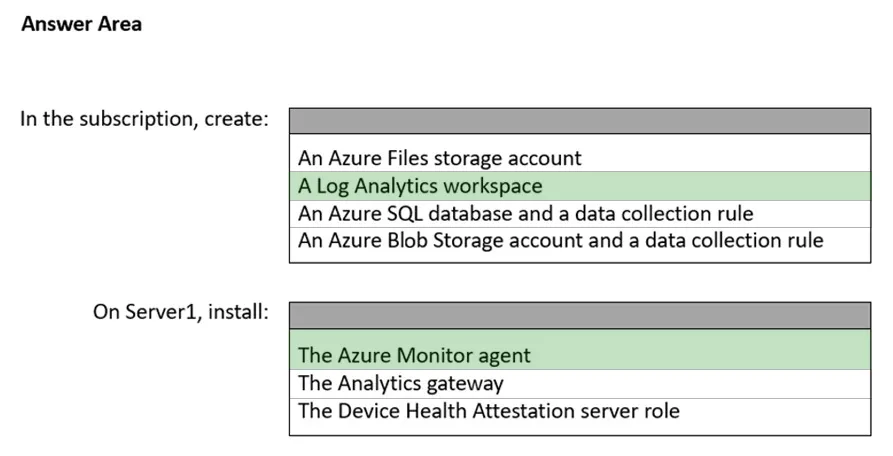
This is an interactive task on the real exam — a drag-and-drop, hotspot or ordering question. There is nothing to select here, so the answer is shown below for reference.
Show the answer figure
Answer: See figure below
Explanation
Install Windows Admin Center on SRV1: You can download the installer from the official Microsoft website and run it on SRV1. During installation, choose the appropriate options for your environment. Add DC1 to Windows Admin Center: After installation, open Windows Admin Center and click on Add in the All Connections pane. In the Add Server Connection pane, enter the name of the server (DC1) you want to manage and click on Submit.
Source: Adapted from community discussion — Krayzr