Question 401 · 871 in bank
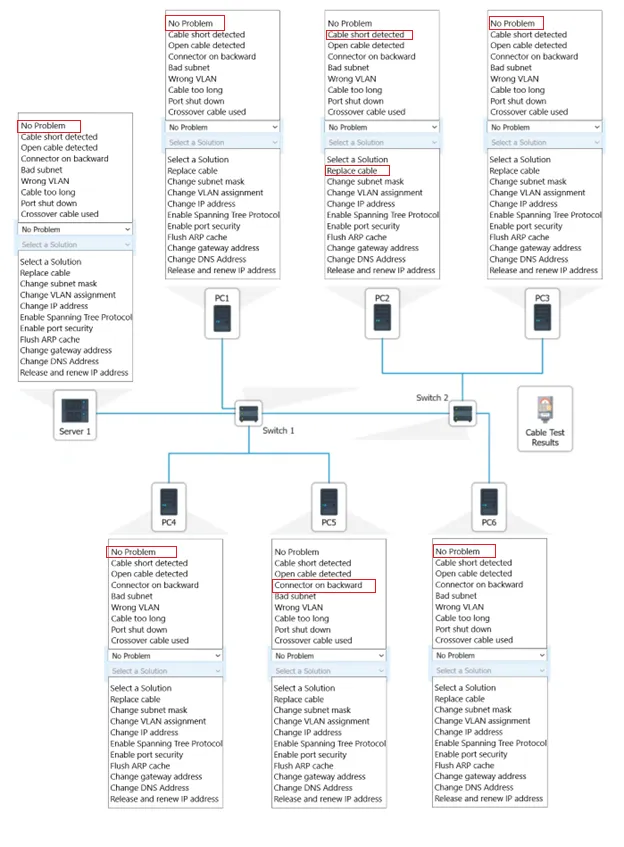
HOTSPOT - A network technician needs to resolve some issues with a customer's SOHO network. The customer reports that some of the PCs are not connecting to the network, while others appear to be working as intended. INSTRUCTIONS - Troubleshoot all the network components. Review the cable test results first, then diagnose by clicking on the appropriate PC, server, and Layer 2 switch. Identify any components with a problem and recommend a solution to correct each problem. If at any time you would like to bring back the initial state of the simulation, please dick the Reset All button.


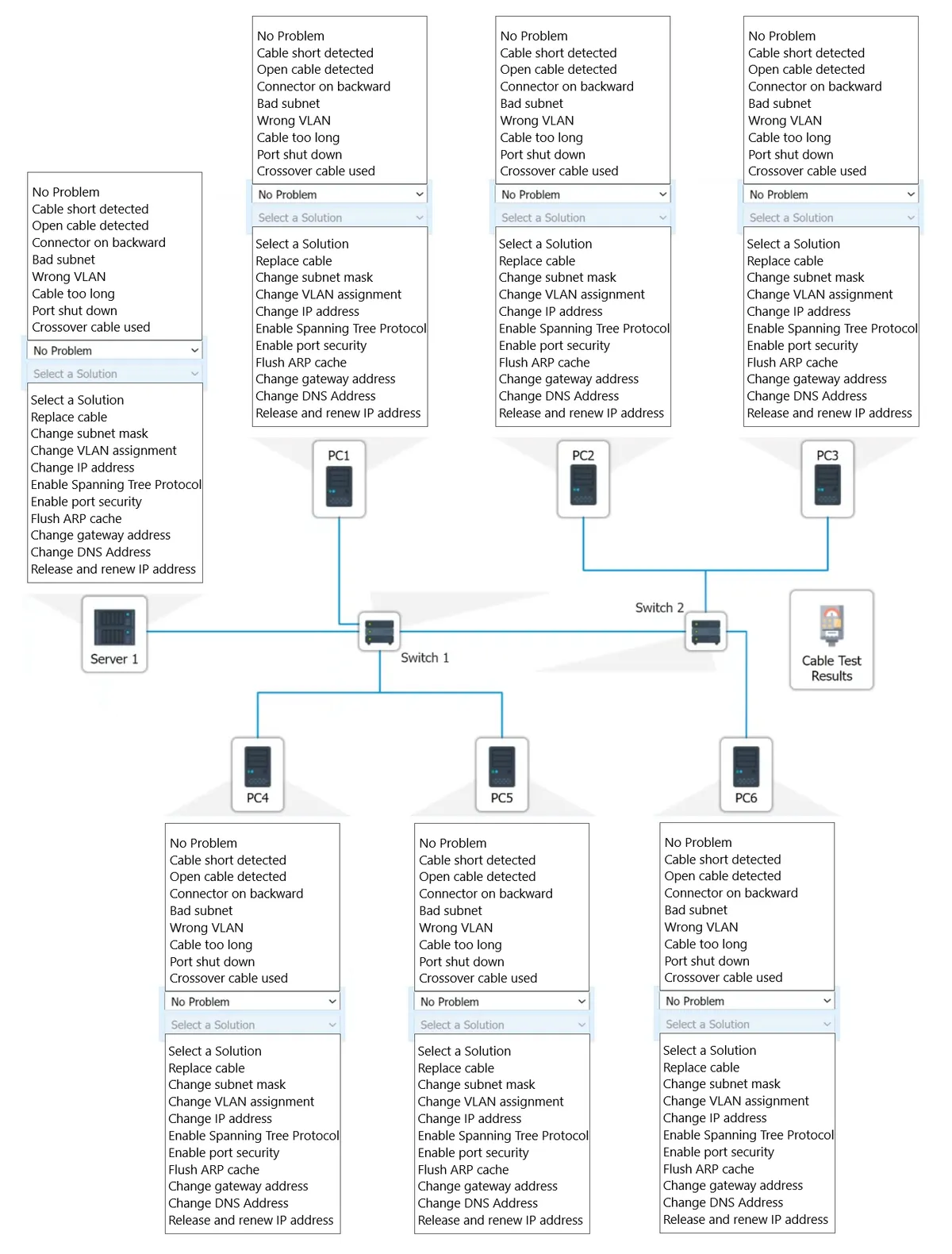
This is an interactive task on the real exam — a drag-and-drop, hotspot or ordering question. There is nothing to select here, so the answer is shown below for reference.
Show the answer figure
Answer: See figure below
Explanation
Server 1 - No Problem PC 1 - No Problem PC 2 - Open cable detected - Replace Cable PC 3 - No Problem PC 4 - Wrong VLAN - Change VLAN Assignment PC 5 - Connector on backward PC 6 - No Problem Is this correct?
Source: Adapted from community discussion — Shelbyy