Question 1 · 610 in bank
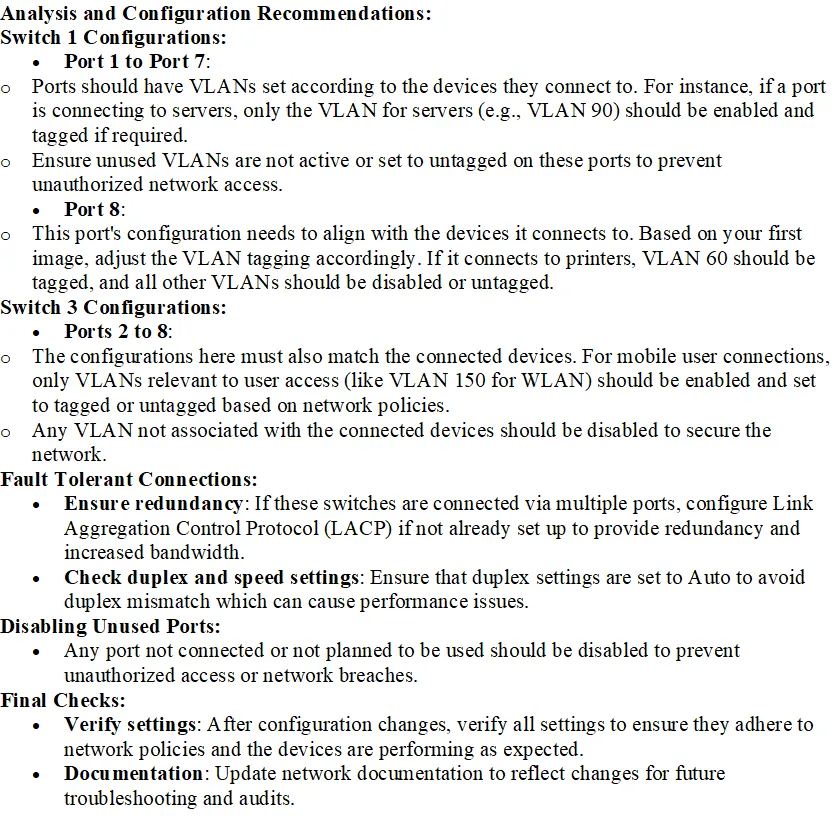
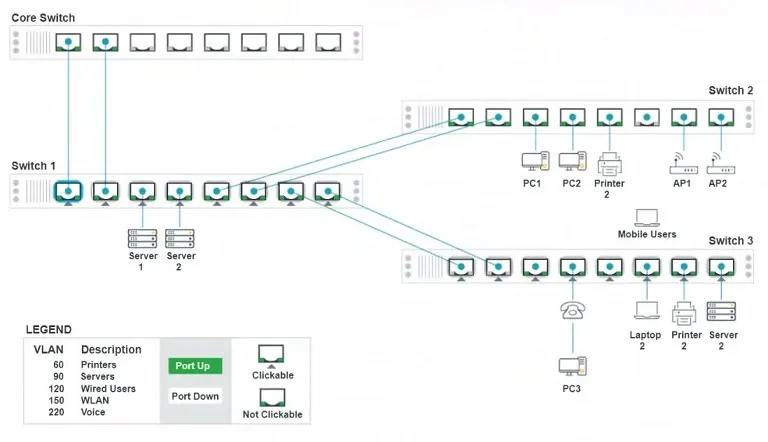
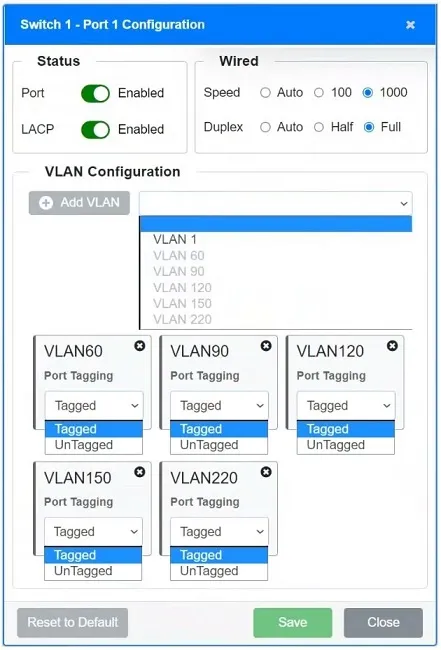
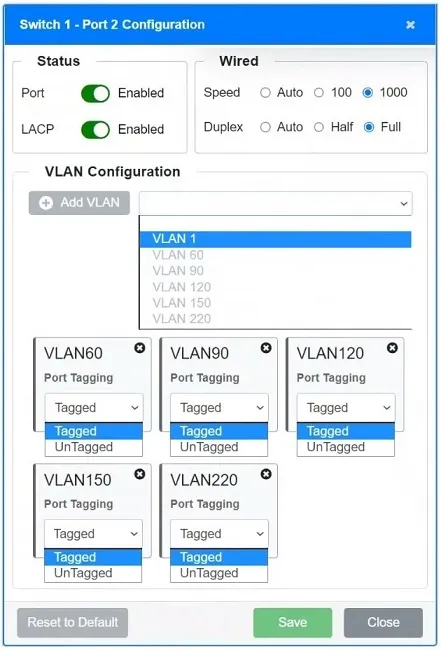
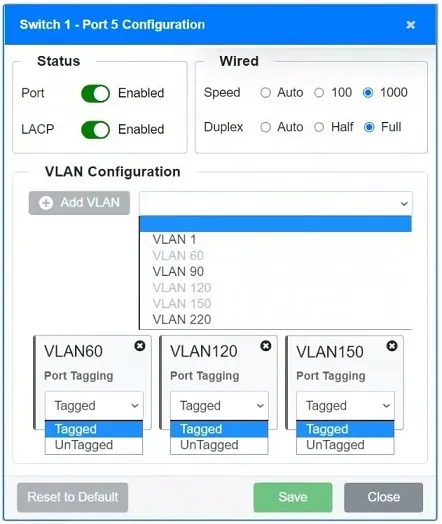
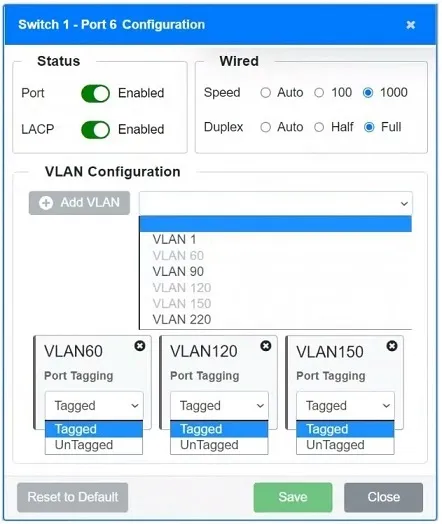
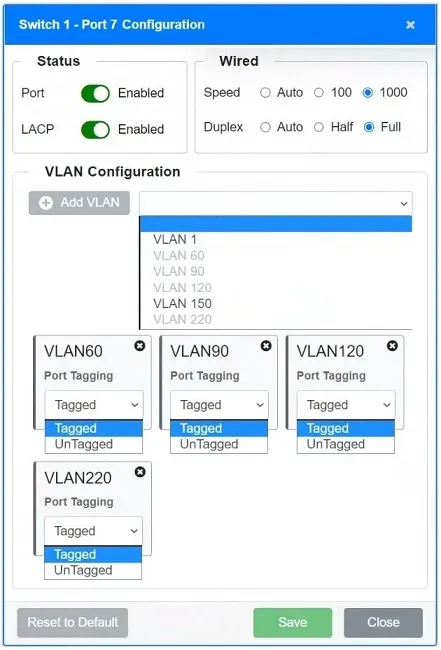
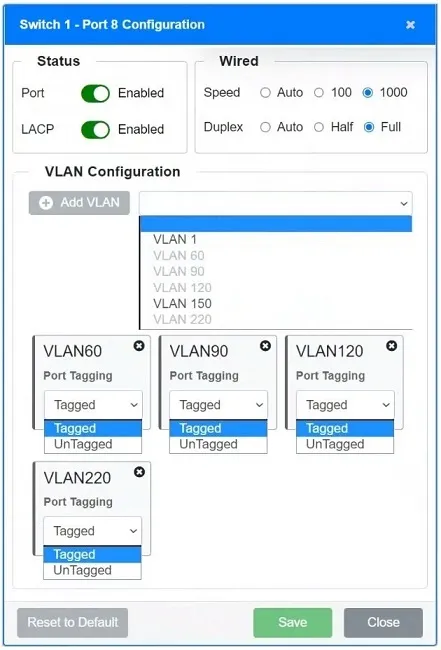
SIMULATION - A network technician replaced an access layer switch and needs to reconfigure it to allow the connected devices to connect to the correct networks. INSTRUCTIONS - Click on the appropriate port(s) on Switch 1 and Switch 3 to verify or reconfigure the correct settings: Ensure each device accesses only its correctly associated network. Disable all unused switchports. Require fault-tolerant connections between the switches. Only make necessary changes to complete the above requirements. If at any time you would like to bring back the initial state of the simulation, please click the Reset All button.




This is an interactive task on the real exam — a drag-and-drop, hotspot or ordering question. There is nothing to select here, so the answer is shown below for reference.
Show the answer figure
Answer: See figure below
Explanation
After reviewing some outside notes and doing this on paper, I think the answer is this below. Correct me if anything may be wrong though: SWITCH 1: - The only thing that would need to be fixed here is to set all the Speed and Duplex values to auto. - All LACP, tagging, and VLAN assignments look to be correct. SWITCH 3: - For all ports, set Speed and Duplex to auto (although I guess disabled ones don't matter as much). - For all ports, remove from VLAN 1 (although, again, disabled ports might not matter as much). - Port 1 and Port 2: * Enable port * Enable LACP * Add following VLANS as TAGGED: 60, 90, 120, 220 - Port 3: * Disable port - Port 4: * Add to VLAN 220 TAGGED * Add to VLAN 120 untagged - Port 5: * Disable port - Port 6: * Add to VLAN 120 untagged - Port 7: * Add to VLAN 60 untagged - Port 8: * Add to VLAN 90 untagged
Source: Adapted from community discussion — airmancompsci